
TDD - Testdriven Development
Write the test first and then the method
In test-driven development, an attempt is made to first write the test and then implement the corresponding functionality.
This means that one first gets clarity about the expected behavior of the method and afterwards implementing of functionality starts. This improves the performance of developers by first thinking and than acting.
Additional no test can be "forgotten". The effect is a higher test coverage.
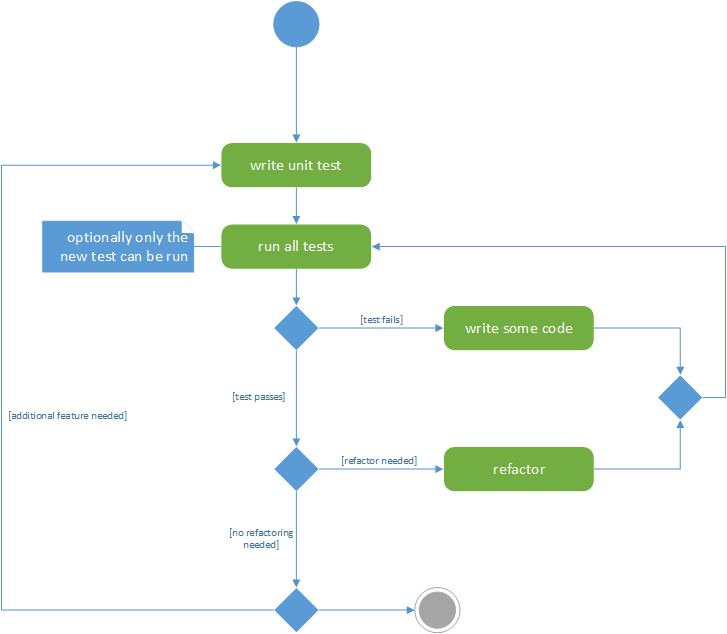 UML activity diagram: the principle of TDD
Example for demonstration purposes
The following little program with a graphical user interface GUI is to be developed:
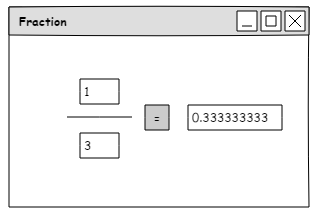
Design of a GUI using Pencil - http://pencil.evolus.vn/
For this a JavaFX project is to be created:
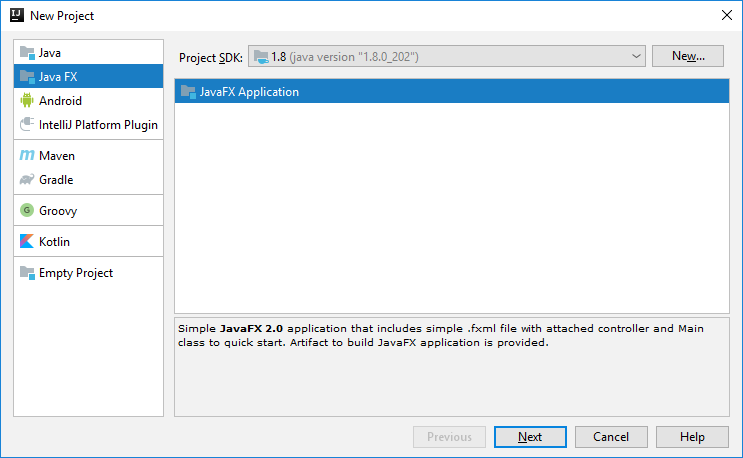
Creation of Java FX project with IntelliJ IDEA
Unlike UI tests, unit tests test the underlying logic layer:

The three layers of programming
Therefore there is no need to start with the GUI. Let's concentrate on the logic layer according to the motto "The most important thing first". It must be clearly separated from the GUI:
package FractionTesting;

public class Fraction {
    private double numerator, denominator;

    Fraction(double numerator, double denominator) {
        this.numerator = numerator;
        this.denominator = denominator;
    }

    public double quotient() {}    // has to be tested before implementation
}
Now before implementing the method itself, the unit test has to be written. Each class has its own test class.
With an right mouse click on the method the IDE offers the generation of test class and test methods (ALT + INS):
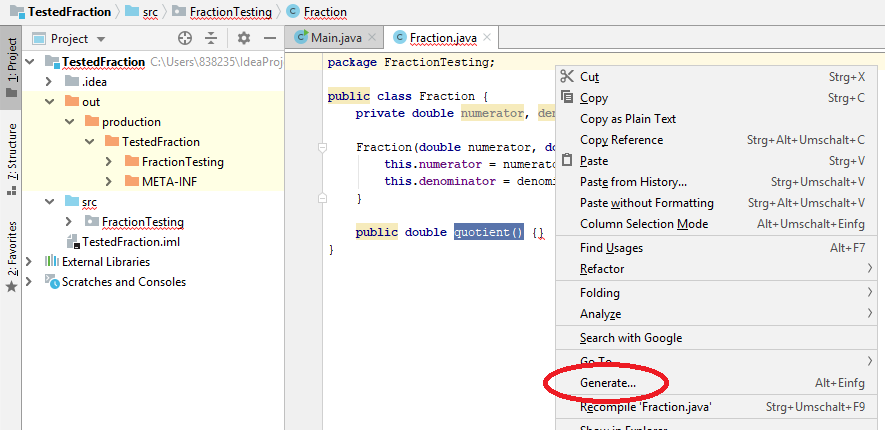
Right mouse click offers an option of generating an unit test.
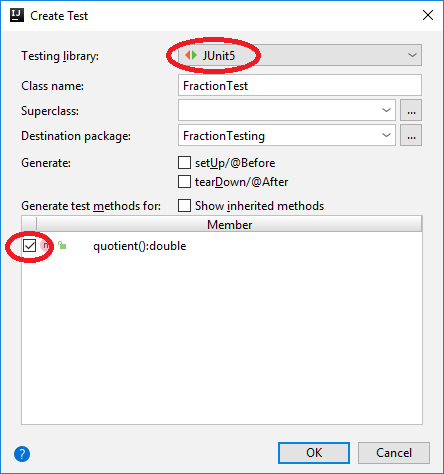
Creation of test class: choose test frame work and mark the the methods which have to be tested
The generated test class FractionTest.java already contains an empty test method quotient() which I have renamed into quotientTest1(). The implementation of it contains the creation of an object and a first call of its method quotient(). Numerator is 1 and denominator is 2. Therefore the assertEquals() method tests if the return value is equal to the expected value of 0.5:
package FractionTesting;

import org.junit.jupiter.api.Test;
import org.junit.jupiter.api.Assertions;
import static org.junit.jupiter.api.Assertions.*;

class FractionTest {

    @Test                                         // annotation marks unit test
    void quotientTest1() {
        Fraction fraction =  new Fraction(1,2);
        assertEquals(0.5, fraction.quotient());
    }
}
First unit test

Run a unit test by clicking on the green arrow
Trying to run this test will fail because of the not yet implemented (empty) method quotient(). (Actually in this case compile error "missing an return statement" will occur.) Therefore, the method must now be implemented:
    public double quotient() {
        return numerator/denominator;
    }
Now the test passes:

The first unit test now passes.
But if the denominator is 0, the result is not defined. So another unit test has to be written:
    @Test
    void quotientTest2() {
        Fraction fraction =  new Fraction(1,0);
            assertEquals(Double.POSITIVE_INFINITY, fraction.quotient());
    }
Testing on
Double.POSITIVE_INFINITYThe above unit test will pass, because of this is the return value. But better throw an exception and check if that actually happens. At first a refactoring of the unit test:
    @Test
    void quotientTest2() {
        Fraction fraction =  new Fraction(1,0);
        Assertions.assertThrows(java.lang.ArithmeticException.class, () -> {
            assertEquals(0.5, fraction.quotient());
        });
    }
Assertion.assertThrows() tests on throwing of exceptions
The unit test fails now:

The second unit test fails.
So the next step is to adjust the method:
    public double quotient() {
        if (denominator == 0)
            throw new java.lang.ArithmeticException("/ by zero");
        return numerator/denominator;
    }
Now both unit tests pass. Ready!
Now the GUI can be implemented.